Travel tickets are customizable printed summary sheets used by pet businesses to showcase critical pet care details. Similar to medical charts, they can be printed and attached to pet enclosures or physical files, giving service providers quick access to scheduled services, feeding instructions, medication schedules, and other essential care details.
Things to know:
- The ability to print travel tickets is controlled by the "Accessing Appointments" access control setting.
- This feature is controlled by a hidden setting that only the MyTime team can enable. To enable the hidden setting, please contact our Support Team at support@mytime.com.
- Printed tickets automatically include standard template fields, including client name, pet name, client contact details, address, and assigned labels
- Custom fields for clients, pets, and family members can be added to travel tickets. After creating custom fields, contact support@mytime.com to map and enable the specific custom field IDs on your template
- When a pet profile includes a date of birth, both the birth date and calculated age display on the travel ticket
Once the hidden setting is enabled, simply:
- Navigate to the scheduler
- Filter to the desired location
- Locate the desired appointment
- Click on the appointment to open it
- Click the "Travel Ticket" button, which is located at the bottom of the appointment modal
- The print pop-up will display a preview of the travel ticket layout
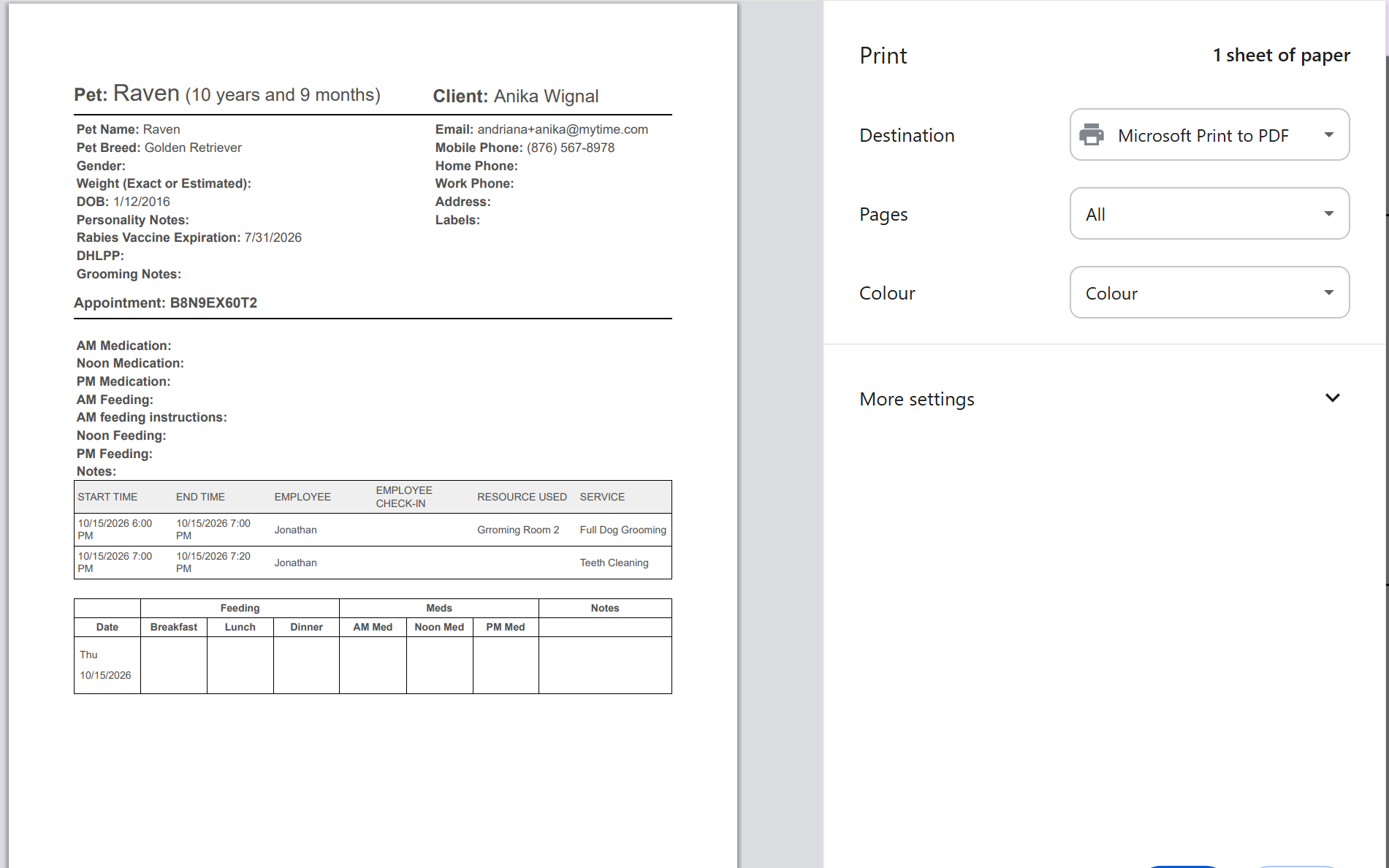
- To print the travel ticket, click on the "Print" option.

For more information, contact us at support@mytime.com.
Related Articles:
Print Tickets From Appointment Modal
Displaying Client Label Discounts on Printed Appointment Tickets
Scheduling Multi-Staff Appointments
Scheduling Recurring Appointments
Appointments / Bookings Report
Booking Appointments for Multi-Client Services In-store
Booking Multi-Client Appointments Online
Booking Appointments for Multiple Pets Online
Was this article helpful?
That’s Great!
Thank you for your feedback
Sorry! We couldn't be helpful
Thank you for your feedback
Feedback sent
We appreciate your effort and will try to fix the article