Facility fees are fees that a stylist or employee incurs to use the facility. The fee is deducted from their service revenue.
Things to know:
- For franchise businesses, facility fees are created at the child level but can be applied to both local and global services.
- Facility fees are strictly internal and are never displayed to clients.
- Facility fees are not applied retroactively to appointments or transactions that occurred before the Facility Fee was created.
- Permissions for Facility Fee:
- View Staff Compensation: Staff with this permission can access the Facility Fees page in a read-only mode. They can view existing fees but are unable to add, edit, or delete them.
- Edit Staff Compensation: Staff with this permission have full administrative access to create, modify, and delete facility fees.
- You can define these fees as a flat dollar amount ($) or a percentage of service revenue. You may also apply multiple different facility fees to a single account.
- Facility fees can be customized based on specific locations or service categories. If you have already assigned every item within a specific service category to an existing facility fee, those items (and their variations) will no longer appear as options for new fees. This prevents the same service from being accidentally double-counted in identical fee structures.
- Staff commission is calculated based on the net revenue remaining after the facility fee has been deducted.
- The Pre/Post-Discount setting determines how the facility fee is calculated when a custom discount or promotion is applied to a ticket:
- Pre-Discount: The facility fee is calculated based on the original service price.
- Post-Discount: The facility fee is calculated based on the discounted service price.
- Important: If a discount reduces the service price to $0, the pre/post-discount setting does not apply. In this case, no facility fee is charged. This is because the system is designed to prevent the facility fee from exceeding the amount paid by the client.
- The setup option displayed in the top-right user menu depends on how you access the account and your assigned role:
- When navigating from the Parent Account (Location Management tab):
- Admin: Displays Business Setup when viewing the location account.
- Login As: Displays Location Setup when viewing the location account.
- When logged in directly at the Location Level:
- Location Owners & Location Managers: Display Location Setup.
- Service Providers & All Other Roles: Display Profile Setup.
To set up facility fees:
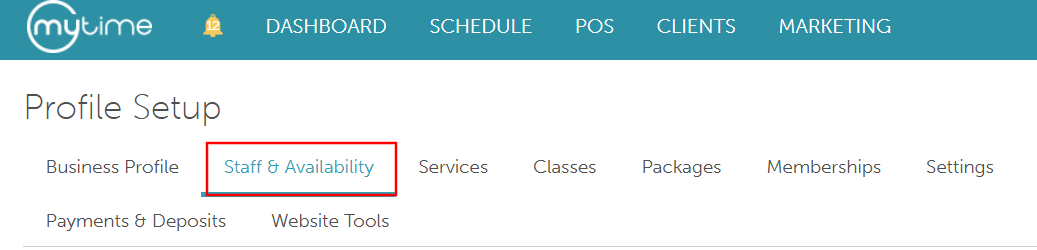
- Go to Business Setup / Location Setup > Staff & Availability
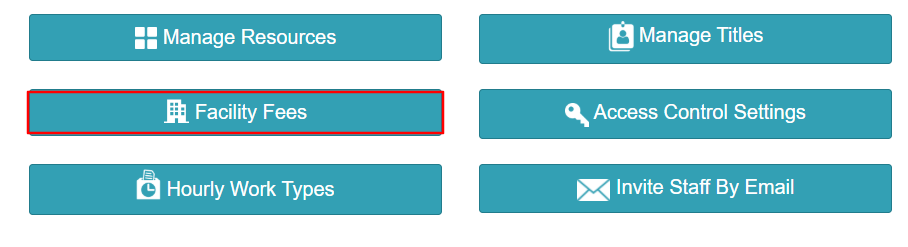
- Scroll to the bottom of the page and select the "Facility Fees" button
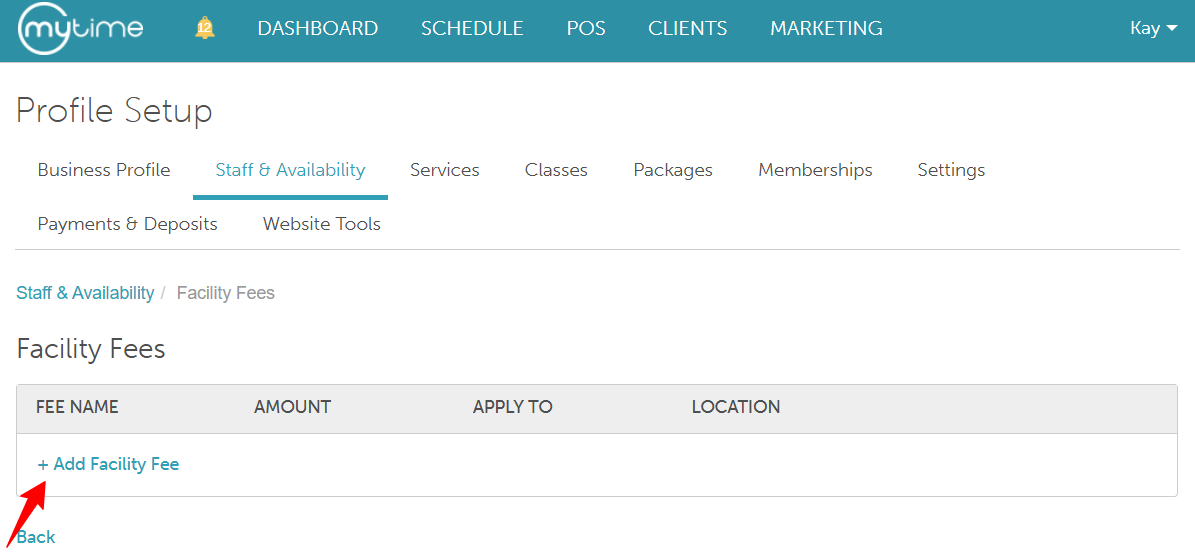
- Select + Add Facility Fee to open the configuration window
- Define Fee Details:
- Fee Name: Enter a clear name for the fee (e.g., "Station Rental Fee" or "Standard Facility Charge")
- Type: Choose whether the fee is a flat dollar amount ($) or a percentage (%) of the service price.
- Amount: Enter the numerical value of the fee
- Applicable Locations: Choose whether this fee applies across All Locations or only to Specific Locations
- Applies to: Use the dropdown to select the Service Categories and specific Variations that will trigger this fee
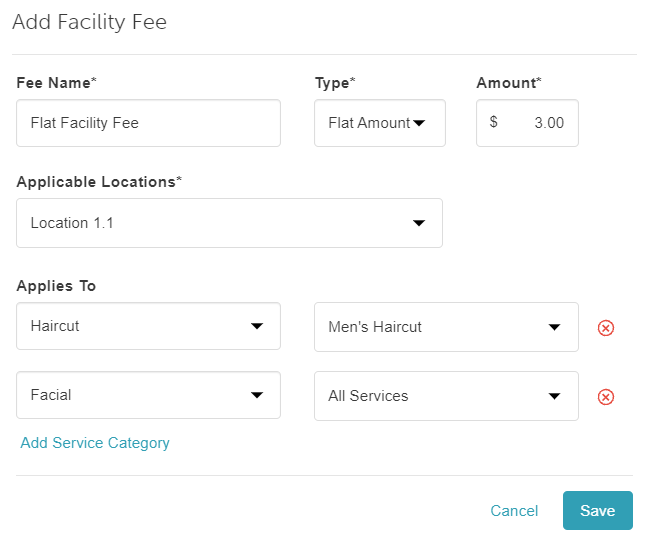
- Once you have verified your settings, click Save to apply the fee to the selected services.
For more information about facility fees in the Compensation Report, click here.
Related Articles:
Was this article helpful?
That’s Great!
Thank you for your feedback
Sorry! We couldn't be helpful
Thank you for your feedback
Feedback sent
We appreciate your effort and will try to fix the article